
Senior Fitness App Finder
Find the perfect app for your journey. Answer three quick questions to get personalized recommendations.
Your Recommended Apps
Top Pick
Also Great For You
Safety Tips for Your Selection
Let’s be honest: most fitness apps are designed for twenty-somethings trying to crush a PR or get shredded for summer. They scream at you with high-intensity intervals, complex jargon, and movements that feel like they require a gymnastics background just to start. If you’re over 60, you don’t need another app yelling "GO HARDER!" You need something that respects your joints, helps with balance, and doesn’t charge $15 a month for the privilege of stretching. The good news? There are actually solid free options out there, but you have to know where to look and what to avoid.
Finding the right tool can change everything. It’s not just about moving; it’s about maintaining independence. Whether you want to improve your balance to prevent falls, keep your heart healthy, or just get out of the chair more often, technology can help. But not all "senior-friendly" apps are created equal. Some are just generic workout plans with larger fonts. Others are genuinely built with aging bodies in mind. Here is how to find the ones that actually work for you.
What Makes an App Truly Senior-Friendly?
Before downloading anything, you need a filter. A lot of apps claim to be beginner-friendly, but "beginner" often means someone who has never lifted a weight before, not someone dealing with arthritis or limited range of motion. When you are looking for free exercise apps, check for these three specific features first:
- Low-Impact Options: Does the app offer alternatives for jumping or high-impact moves? Your knees and hips will thank you if you can swap a jump squat for a sit-to-stand.
- Clear Audio Cues: Can you follow along without staring at the screen? This is crucial for safety. If you have to constantly look down to see the next move, you might lose your balance.
- Rest Time Customization: Seniors often need longer recovery periods. An app that forces you into a 30-second rest when you need 60 seconds sets you up for failure.
If an app lacks these, skip it. You’re better off doing a simple walk than following a confusing digital coach that ignores your physical reality.
The Best Completely Free Options
True free apps-meaning no hidden paywalls for basic features-are rare. Most use a "freemium" model. However, a few stand out because their free tier is actually usable for daily practice.
Nike Training Club (NTC)
Yes, Nike made this one completely free a few years ago, and it remains a gold standard. While it isn’t exclusively for seniors, its library is massive and highly searchable. You can filter by "Mobility," "Yoga," or "Strength" and select "Beginner." The videos are shot in real-time with clear instructions. The best part? No ads interrupting your flow. For seniors, the "Mobility" flows are particularly useful for loosening up stiff shoulders or hips after sitting too long. Just ignore the intense HIIT sections unless you’re feeling exceptionally spry.
Down Dog
This isn’t just any yoga app; it’s arguably the best tool for gentle movement. Down Dog generates a new yoga practice every time you hit play, so you never get bored. But here’s the magic for seniors: you can customize the level to "Gentle" or "Therapeutic," choose "Chair Yoga" as a prop option, and even adjust the voice speed. It’s technically a paid app, but they often run promotions, and the free trial lets you test the customization depth. If you struggle with standing poses, setting the height to "Chair" transforms the entire experience. It’s less about flexibility and more about breath and gentle stretching.
YouTube Channels (The Ultimate Free Library)
Don’t underestimate YouTube. It’s not an "app" in the traditional sense, but it hosts the highest quality free content specifically for older adults. Search for channels like SilverSneakers or Go4Life. These aren’t random influencers; they are programs backed by health organizations. Go4Life, funded by the National Institute on Aging, offers short, targeted videos on balance, strength, and endurance. The instructions are slow, the demonstrations are realistic (not superhuman), and the focus is entirely on functional movement-like how to pick up groceries safely or stand up from a toilet without grabbing the sink.
Freemium Apps Worth the Download
Some apps lock their best features behind a subscription but still offer enough free content to be worth keeping on your phone. Just be careful not to accidentally sign up for a trial you forget to cancel.
MapMyWalk
Walking is the single best exercise for seniors, according to countless studies on longevity and cardiovascular health. MapMyWalk is great because it tracks your route, distance, and pace without being overly complicated. The free version allows you to log walks and set simple goals. Why does this matter? Because seeing your progress visually motivates you. If you walked 2,000 steps last week and 2,500 this week, that data proves you’re improving. Plus, it integrates with many cheap pedometers or smartwatches if you decide to upgrade later.
Pocket Yoga
While NTC covers general fitness, Pocket Yoga focuses strictly on flexibility and relaxation. The free version gives you access to several classes. For seniors, yoga isn’t about touching your toes; it’s about joint lubrication and stress reduction. High cortisol levels accelerate aging, and gentle yoga lowers them. Look for classes labeled "Restorative" or "Hatha." Avoid "Vinyasa" flows initially, as they can be too fast-paced for beginners with balance issues.
How to Stay Safe Using Fitness Apps
Technology is a tool, not a doctor. Before starting any new routine, especially if you have chronic conditions like hypertension, osteoporosis, or diabetes, talk to your healthcare provider. Once you get the green light, follow these rules to stay safe while using your app:
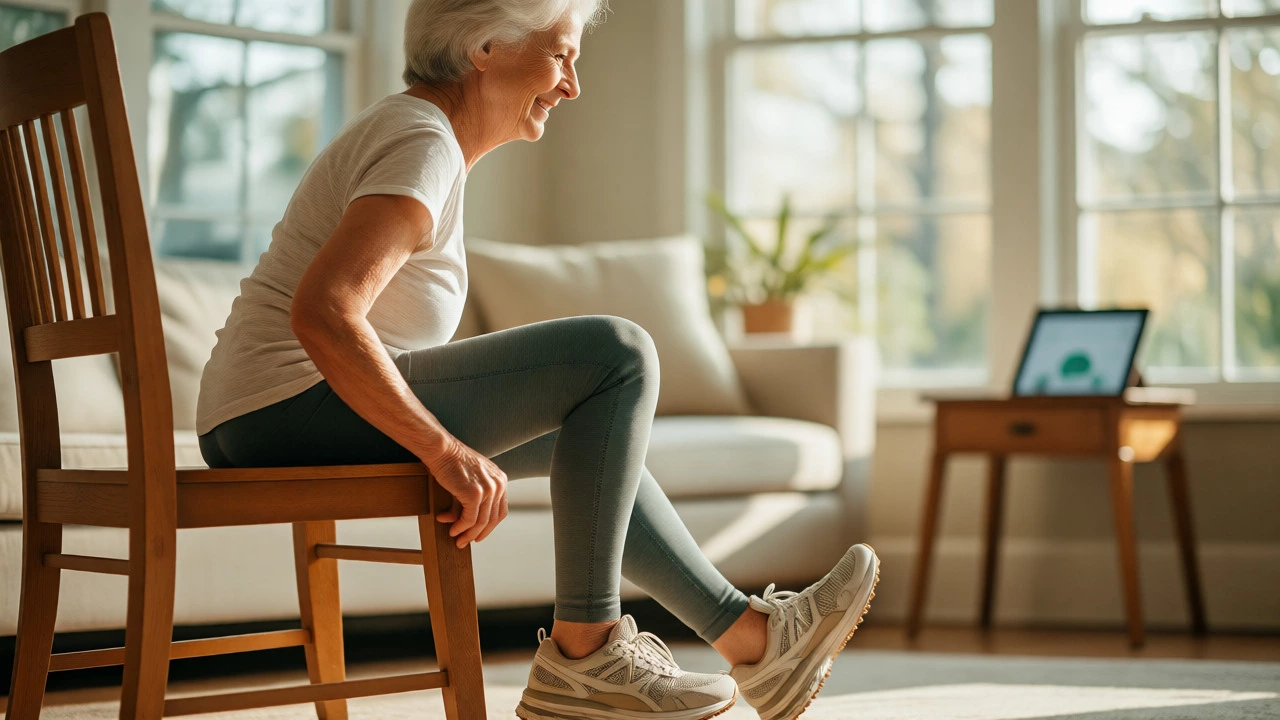
- Use a Chair for Balance: Even if the app says "standing pose," hold onto the back of a sturdy chair. This eliminates the fear of falling, which often causes muscles to tense up unnecessarily.
- Listen to Pain, Not Gains: Discomfort is normal. Sharp pain is not. If an exercise hurts your knee, stop. Modify it. Skip it. Don’t try to "push through" joint pain.
- Start Short: Don’t attempt a 30-minute session on day one. Do 5 minutes. Then 7. Build consistency before intensity. Consistency beats duration every time for long-term health.
- Check Your Footwear: Never do these exercises in socks on hardwood floors. Wear supportive sneakers or non-slip socks. Slipping is a leading cause of injury during home workouts.

Comparing Top Choices for Seniors
It can be overwhelming to choose just one. Here’s a quick breakdown to help you decide based on your primary goal.
| App/Resource | Best For | Free Tier Value | Key Feature |
|---|---|---|---|
| Nike Training Club | All-around fitness | High (Full library) | Video-led, no ads |
| Go4Life (Web/YouTube) | Functional movement | 100% Free | Science-backed, slow pace |
| Down Dog | Flexibility & Balance | Trial only (Paid) | Customizable voice/speed |
| MapMyWalk | Cardio & Tracking | Moderate | GPS tracking, step counting |
| Pocket Yoga | Stress Relief | Moderate | Simple interface |
Beyond the App: Building a Routine
An app won’t fix your health alone. It needs to fit into your life. Try pairing your digital guide with analog habits. For example, use MapMyWalk to track your morning stroll, then spend ten minutes on Nike Training Club mobility flows in the evening to unwind. This combination covers both cardiovascular health and musculoskeletal maintenance.
Also, consider the social aspect. Many of these apps allow you to share achievements or join challenges. Inviting a friend or family member to join you virtually can boost accountability. If your grandkid uses an app, ask them to show you theirs. Sometimes, the motivation comes from connecting, not just competing.
Remember, the "best" app is the one you actually open. If you hate the voiceover, delete it. If the colors hurt your eyes, find another. There is no shame in swapping tools until you find the right fit. Your body deserves patience, and so does your tech setup.
Are free apps really effective for building muscle?
Yes, especially for beginners and seniors. Muscle loss (sarcopenia) accelerates with age, but resistance training-even bodyweight exercises like squats or wall pushups-can reverse some of this. Free apps provide the structure and progression needed to ensure you're working hard enough to stimulate muscle growth, provided you maintain consistency and proper nutrition.
Do I need a smartphone to use these apps?
Most modern fitness apps require a smartphone or tablet. However, some resources like Go4Life are web-based and can be accessed on a computer. If you don't own a smartphone, you can still benefit by having a family member print out exercise guides or watch videos on a TV via casting.
How often should seniors exercise using these apps?
The CDC recommends at least 150 minutes of moderate aerobic activity per week for older adults, plus muscle-strengthening activities on two or more days. Start with 10-15 minutes daily and gradually increase. Rest days are crucial, especially if you are new to exercise or managing chronic pain.
What if I have poor vision or hearing?
Look for apps with adjustable text sizes and audio cues. Apps like Down Dog allow you to change voice speed. For visual impairments, audio-only guided meditations or walking podcasts might be safer than video-heavy apps. Always prioritize safety; if you can't clearly see the demonstration, ask a helper to explain the form first.
Can I replace my gym membership with these apps?
For many seniors, yes. Home workouts eliminate travel time and exposure to germs. However, if you enjoy social interaction or need heavy weights, a community center or senior-focused gym might complement your app usage. Apps are excellent for maintenance and light conditioning, but heavy strength training may require equipment.